
Go into Steam right now, double click any AAA game from the past few years, and silently count in your head how long it takes that game to boot into the menu. And not even into a place where you can take control; count until your screen renders "the game" instead of a splash window, or even nothing at all. Heck, count until it changes your mouse cursor to a loading cursor.
If you're not on some absurdly expensive computer by today's standards, odds are it'll take long enough for you to get bored and lose count. For me that's about 20 seconds.
I'm no stranger to a long boot time. In late 2000s high school, my desktop was a cast-off Pentium 3, 512mb Windows XP computer which booted to "usable" in about 5 minutes. My dad worked for the government, and would sometimes bring home old computers his department had discharged after upgrading. My comp was one of these, and it ran who-knows-what government security software to keep it from being compromised in the future. I couldn't wipe it, I didn't have money to buy Windows XP, and the factory reset was disabled. I also didn't know how to get the damn thing not to launch all that software, having been not that tech literate at the time. Regardless, I used it to run KOTOR. I'd pop in the 1st of the 4 CDs it came on, wait for the cd autorun to show up, click PLAY, then wait about 5 minutes to get to the menu (and endure the ~20 second loading screens between zones). When I put my ear to the chassis I could hear the poor hard drive plinking its heart out, doing its best to pipe bits of data one-at-a-time into RAM. I used to double click the icon for KOTOR on the desktop, then go to the kitchen and grab a handful of Costco white bread rolls and a glass of water, before coming back to see if it was ready yet. I knew it was slow, but I also knew it was an old piece of crap. I always dreamed of owning something better.
Years later I've managed to equip myself with a more-than-adequate setup. It was honestly quite cathartic to be able to buy something that could boot Windows from an SSD in seconds rather than minutes. So now imagine my disappointment, that after I managed to acquire a proper computer, the games I want to play are STILL taking an egregious amount of time just to boot! This has been bugging me more and more as of late. There are a bunch of reasons for this unpleasant experience, and I want to take a look at them and decide whether or not they are justified.
Launcher Services
Some games require other launchers to boot. These would be stuff like Mass Effect Legendary Edition or Dead Space Remake requiring EA Play's launcher, Larian games requiring their own launcher for Baldur's Gate 3 or Divinity Original Sin games, Call of Duty requiring the Blizzard launcher, Halo games requiring the Microsoft store api, League of Legends requiring the Riot Games launcher, The Witcher requiring CD Project Red's launcher (that isn't GoG) etc. When you start these games, the launchers for each fork their own processes in addition to the Steam processes, which add yet more latency to the startup of what should be a standalone application.
We don't need to get into all the details about WHY you'd make the crippling decision to do this, about the control that publishers use to show advertisements on your coveted screen space, and their inability to relinquish even a little bit of their data to an outside platform for convenience. We can skim past the superfluousness of the memory and cpu time these extra programs take up, and the anti-future-proofing you're doing to your software by tying it to a service that's almost certainly going to change more often than your game. We can even skip rehashing why publishers use these launchers for control and ads. Really, the thing that makes me the most angry is that it makes the boot time a lot longer.


Anticheat
There's another type of inter-process dependency that can ship with a game, and that's its anticheat. I'm not going to stand on a soap box and proclaim that anticheat software shouldn't ship with games, because it's objectively important to the integrity and playerbase of a multiplayer game. But it does add startup time to games, and it does add complexity. It is, however, a necessary evil. I begrudgingly accept that, at least.
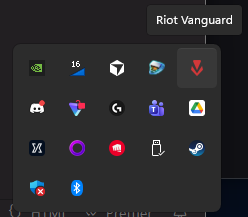
But how much should I be forced to accept? I really hate booting my machine and finding Riot Vanguard in the list of required startup processes, knowing also that Javelin is there in the background too just waiting for me to launch Battlefield 6. Why? Not only is this affecting the startup time of the game I want to run, but since it runs at machine level, it affects my gosh-darn machine's STARTUP time! That really grinds my gears.
And then there's DRM.
I can't talk about anticheat without mentioning Digital Rights Management, and the ways companies check to make sure you actually own the software you're running. In the old days DRM usually came in the form of some convoluted part of the CD you put in the system tray that checked the authenticity of the program you were running. Nowadays this is less archaic, but certainly still a thing. Steam is basically DRM, as the games you play are linked to an account. Of course, something that checks whether or not you are allowed to start a game is going to impact startup time. Any game with an additional launcher would also count in this process.
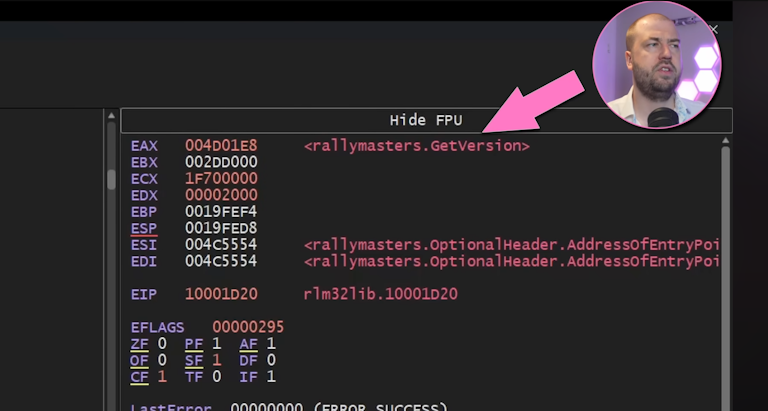
If you release your game on Steam and you don't have it available in a place like GoG or itch.io, then you are committing to having Steam's DRM affect the startup of your game. Despite the fact that this decision impacts your game's longevity, it is at the very least tolerable to have Steam as a distribution platform as it provides availability and features that would be quite bothersome to code yourself. But it does affect startup time. As a developer who values boot time, disable as much Steam functionality as you can afford when distributing a game on that platform.
Compiling Shaders
A lot of modern games include a separate load screen before showing you the menu that informs you it is "compiling shaders." Years ago, you wouldn't have seen this loading screen as its own separate thing, but it still would have been happening in the background. You can compile a binary for Windows and expect the operating system to help you out in regards to how to run it, but you can't expect the same of video cards. So games typically compile their shaders when the game boots or even, when it loads data, just so that it can be sure the shader will run on the system's hardware. The fact that this process is now its own separate loading screen indicates that developers are acknowledging that the startup time of the game is longer due to something that is introduced by the program.

I don't actually mind this step. Modern games use modern shaders, which are definitely more complex than whatever was in KOTOR in the past. This actually feels like a normal consequence of the complexity that can be achieved with modern technology.
Initialize Everything!
When you're just learning programming, and, in game programming in particular, you might follow some tutorials on how to make a game. Often, these tutorials will teach you as quickly as possible how to get something on the screen, running, and tinkerable. In this process, they'll neglect architectural or optimization choices just so the code is easier to understand. This is good, as it fulfils the purpose of the tutorial: to get you to learn something from scratch. But if that's your only way to learn how to make a program you're going to run into problems.
Did you know that calling
SDL_InitSubSystem(SDL_INIT_JOYSTICK);can take several seconds to resolve? (Yes this still happens to this day.) Maybe you shouldn't call that function until you need it.
Notably, tutorials often have you initialize all your subsystems and load all your assets up front to allow you easy access to everything... at the cost of startup time. On your simple tutorial project, this is hardly even 1ms. As it grows, this can make your game boot slower and slower. But you're too afraid to fix it because you've already done so much work to get it to the point it is and a refactor would most certainly break it.
I don't think that AAA games nowadays make this mistake architecturally. I actually think the developers put a lot of thought into how exactly their game will load (I mean look at the compiling-shaders stuff above). But I think that only goes so far.
Games nowadays are typically developed with a game engine, like Unreal or Unity. In a lot of cases, these engines do a lot of the initialization and heavy lifting for you. They provide pipelines for assets to be compiled together, they provide built-in ways to interface with the graphics and system, they compile your game to targets for Windows/Xbox/Playstation/Switch, and infinitely many more things. That's a lot of complicated things! Unless you want to re-write or deeply understand all of these features, you are going to defer or trust that the engine you're using is going to handle them for you.

I may not be employed by a AAA game company, but I know about very large enterprise software. If your software is built on a framework like Java Spring, Ruby on Rails, React and Express etc, you're making the same decision that game developers might do with a game engine. A decision for stability.
Picture it: you set up your project optimally with a known framework, it works great for a few years as you add feature after feature, but then over time you add so much stuff to it that it becomes overcomplicated and heavy. So heavy that it takes minutes, if not hours just to start. You're past the point of changing architecture: your software is used too much to risk changing tech stacks, and upgrading to new versions is way too risky for the userbase you have. At some point you're going to just flat out accept that the startup time does not matter if your program is working. Even if development is annoying.
And that is a tragedy. If you don't allocate enough time to the startup time of your program, you're going to end up in a bad place as you add complexity to it. It means you don't understand enough of how it works to risk making it better. As a startup-time-conscious developer, you should not neglect knowing everything your program is doing as it starts up.
Conclusion
Generally I'd sum up these reasons for extra startup as: bloat and complexity. Games are doing so much more nowadays than they were in the past, whether it's useful or not, and that translates and correlates to really long startup times. Yeah, it's annoying, but it is one of those things that I can only apply to that common saying: control what you can control.